A menu maker that does the typing for you
Take a photo of your current menu and MenuKlaar turns it into a digital menu, with a QR code for the table. In about 10 minutes, without reading a manual.
Start with what you have
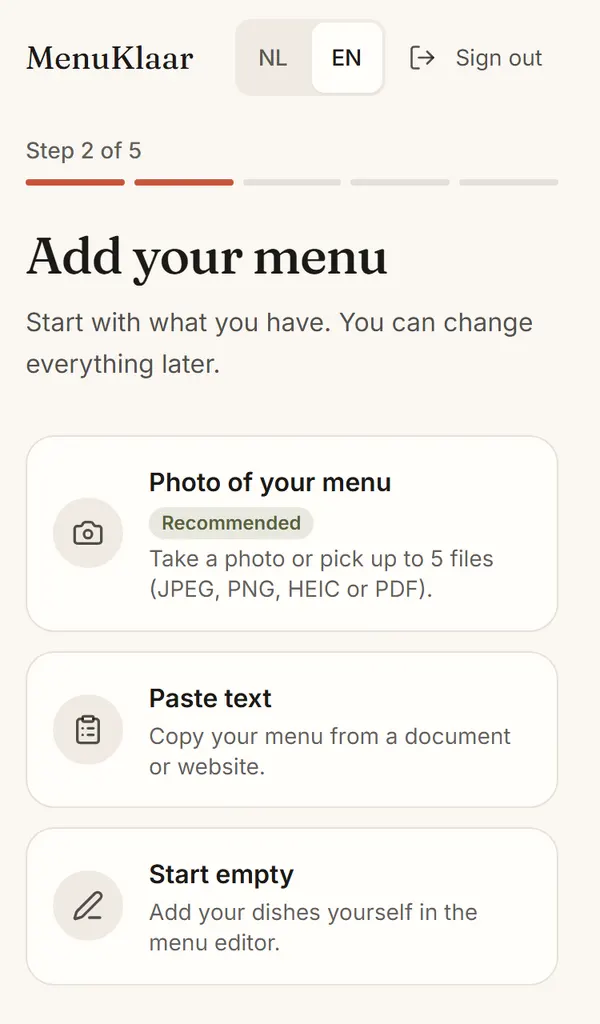
After you sign up, MenuKlaar first asks about your venue: name, address, type of cuisine and, if you like, your logo. Then you add your menu, in one of these ways:
- A photo of your paper menu. Take it with your phone or pick up to 5 files: JPEG, PNG, HEIC or PDF.
- A PDF, like the menu your printer made. We read up to 10 pages.
- Text you paste, from a document or your website.
- Or start empty and add your dishes yourself.
MenuKlaar reads your dishes, prices, descriptions and categories. It takes up to a minute. We only use your files to read your menu; we don't keep them.
Check it and you're done
Next you see everything we read on one screen. We read your menu twice and mark only the dishes where something may be off, like a price we couldn't read. You accept the rest in one go.
We also suggest allergens for each dish. They're dotted, as guesses, until you confirm them. You know your dishes best.
Then you pick your languages and your menu is live. You get your QR code and the link to your menu straight away.
Pick a look
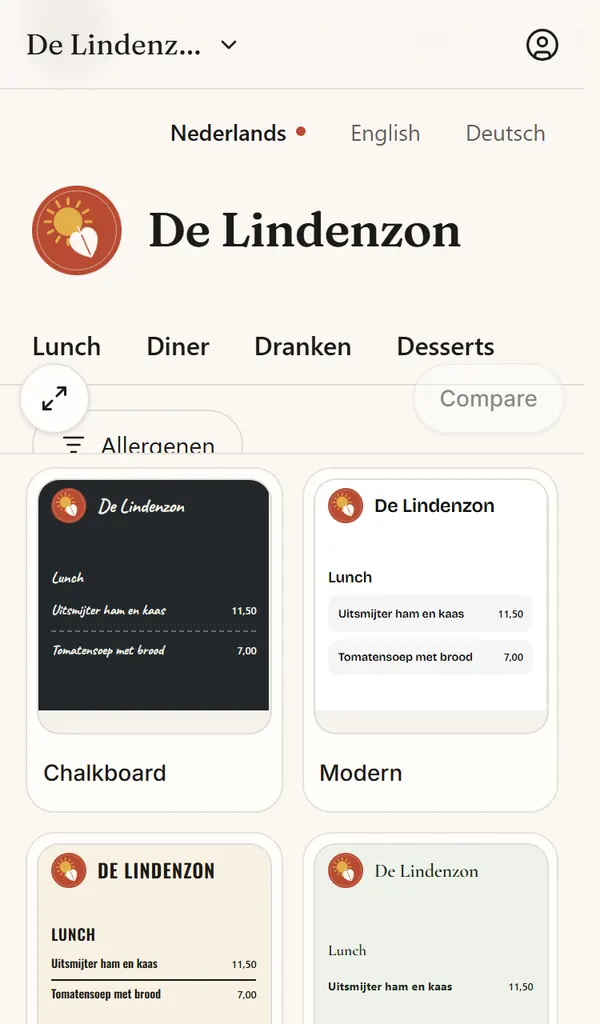
Your menu doesn't have to look like the one down the street. On the Design page, pick one of 16 looks, such as Chalkboard, Trattoria or Zen, in light or dark, or let it follow the guest's phone. You see every look with your own dishes right away.
With Pro you go further with colours, fonts, layout, photos and prices, or press Shuffle until something fits. A look you save works for your other venues too.
Print table cards
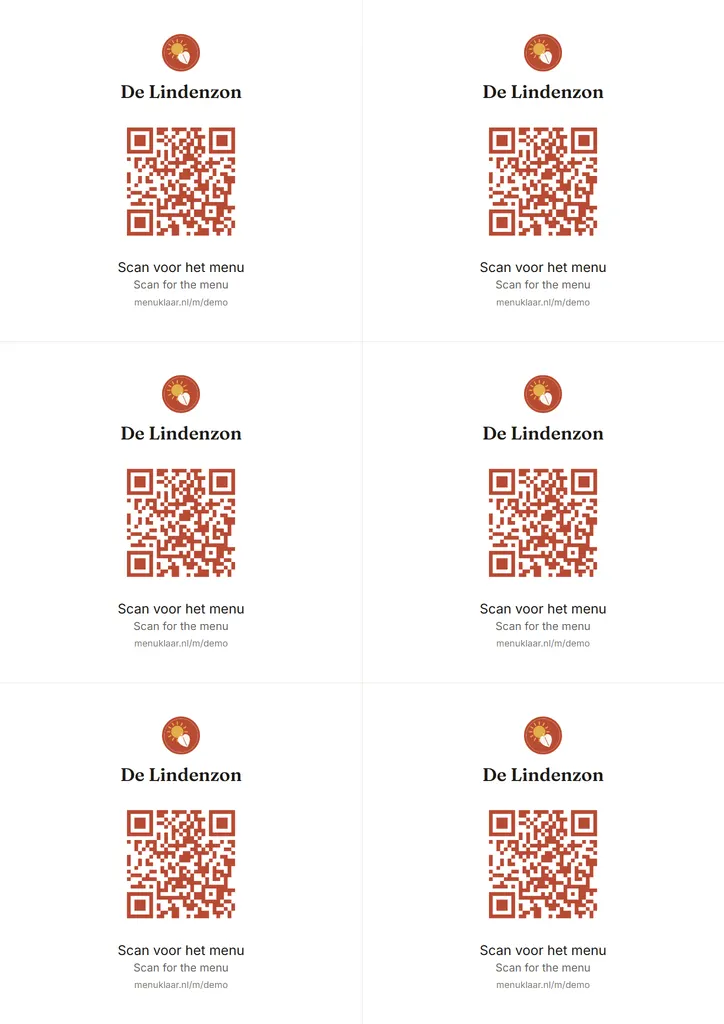
Your QR code is ready on table cards straight away: a PDF with six cards on an A4 sheet, with your name, your logo and “Scan for the menu”. Print, cut, put them on the tables. The cards follow your look.
Prefer a tent card that stands up by itself, an A6 card with your address, or stickers for the door? Pick those formats in Channels or Design. Every format is in every plan.
After that
After those first 10 minutes, you keep your menu current in the menu editor on your phone: prices, dishes, photos, daily specials and what's sold out today. Every change is online at once, and your QR code stays the same.
Questions and answers
How long does it take to make a menu?
Allow about 10 minutes: a few for your venue and reading the menu, the rest for checking your dishes and allergens. A long menu with many pages takes a little more checking.
How many times can I import a menu?
On Free you can import your menu twice from a photo, PDF or text. With Pro, as often as you need, handy when your menu changes with the seasons. Adding dishes yourself is always unlimited.
What if MenuKlaar reads something wrong?
You see everything before it goes online, and dishes we're unsure about are marked. Fix what's wrong and add what we missed. Later you can still change anything in the menu editor.
Do I need a designer or a print shop?
No. You make the looks, the table cards and, with Pro, the print menu yourself in MenuKlaar. If you do want a print shop to print the QR code, download it as an SVG for them.
What does it cost?
Making your menu and putting it online is free. Pro costs €15 a month excluding VAT and adds your own design, more languages, your menu on your website and the print menu, among other things. You start with 14 days of Pro, no credit card needed.